





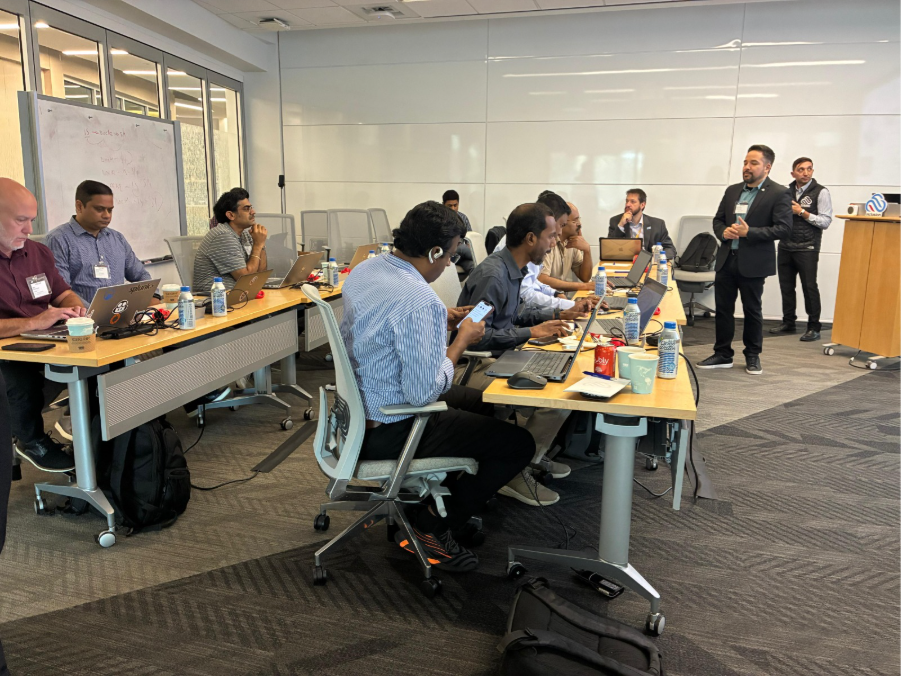
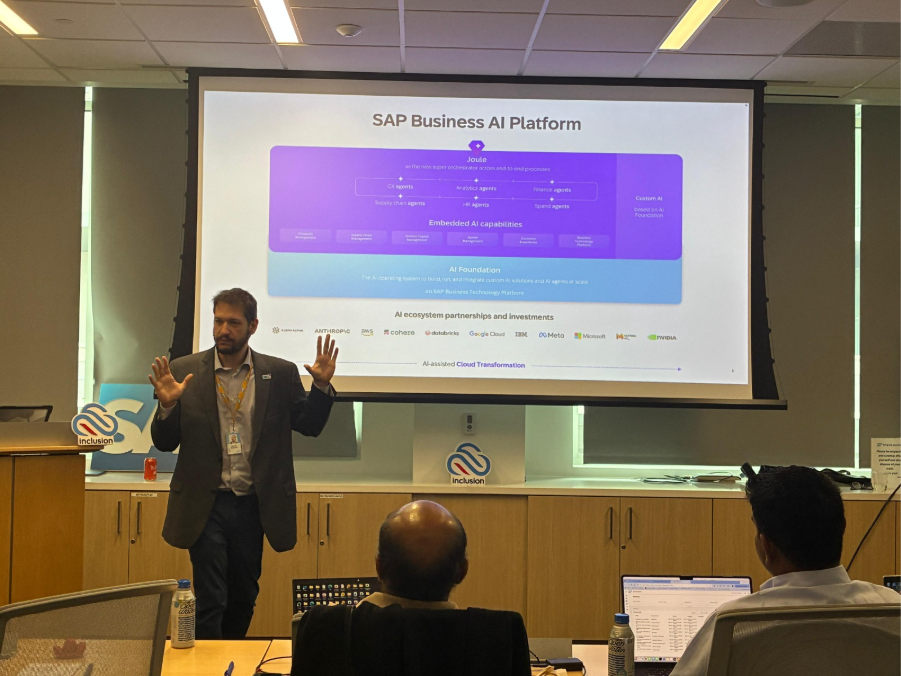
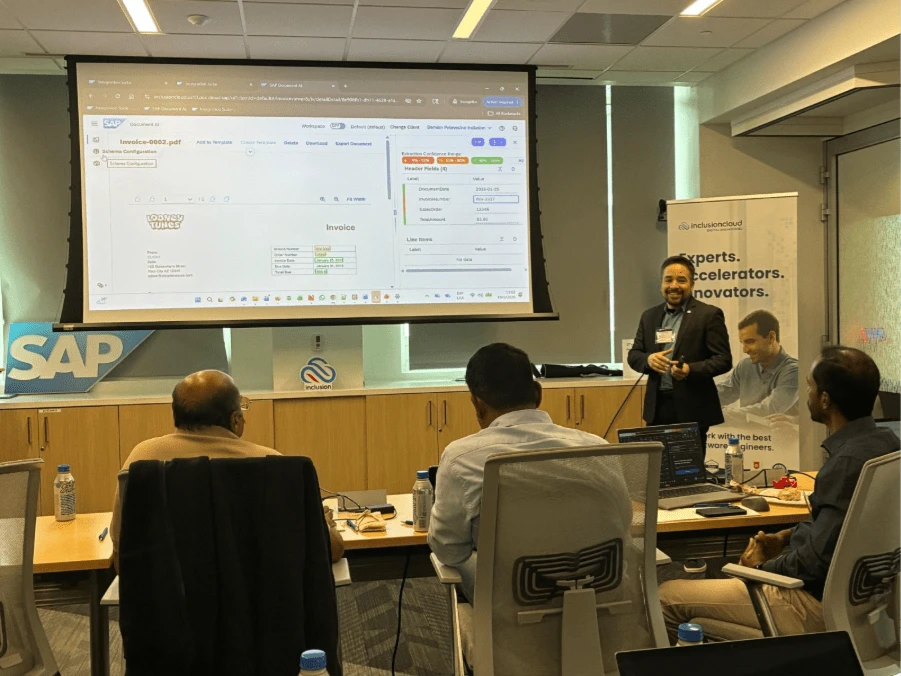
As more organizations explore AI adoption inside their workflows, we collaborated with SAP teams on a hands-on SAP Document AI workshop at SAP’s offices in Dallas.
The session, which gather organizations from across the southern U.S. region, included participants from telecommunications, energy & utilities, pharmaceuticals, automotive, food & beverage, and high-tech industries, all exploring how to automate document-heavy workflows.
Rather than focusing only on the capabilities of Document AI itself, the workshop was designed around a broader question: how can organizations move faster from AI exploration into actual implementation inside real SAP environments?
To answer that, participants worked directly on production-oriented workflows connected to SAP systems, using one PoC already operating a large-scale enterprise environment to structure the workshop.
The PoC or How Document-heavy Operational Complexity Look Like
The original use case came from the energy sector, where operational workflows depended heavily on manual document handling across multiple continents.
The company’s field operations involved engineers traveling to remote locations, logistics teams coordinating equipment shipments, customs documentation processing, and multiple approval flows tied to customer sales orders.
Every action generated documentation (service tickets, carrier documents, invoices, etc.) and every one of them needed to be attached to the corresponding SAP sales order for traceability and compliance purposes.
The issue was that almost the entire process depended on manual document processing. This way, a typical workflow looked like this:
- An engineer or logistics operator emailed a document with little or no contextual information.
- An employee manually opened the file to determine whether it was a service ticket, shipping document, invoice, or another document type.
- The operator searched the PDF manually to locate the sales order number, which could appear anywhere in the document.
- The file was downloaded locally or into shared folders.
- The user manually renamed the file according to company conventions.
- The employee opened SAP, searched for the correct object, and attached the document manually.
Now, while at first glance this may sound manageable, the scale was completely out of sight.
The organization was processing more than 8,000 documents every month, representing approximately 1,066 hours of manual work monthly. This leaves full-time employees dedicated almost entirely to moving, classifying, renaming, validating, and uploading files.
The complexity increased even further because operations were distributed across three continents. Different teams, languages, formats, and operational practices all converged into the same SAP workflows, all without a standardized document structure.
The SAP BTP Architecture Behind Our Solution
Now, the company already had partial automation in place. However, the automation only started after users manually completed most of the critical steps. Our solution expanded it without redesigning the whole workflow.
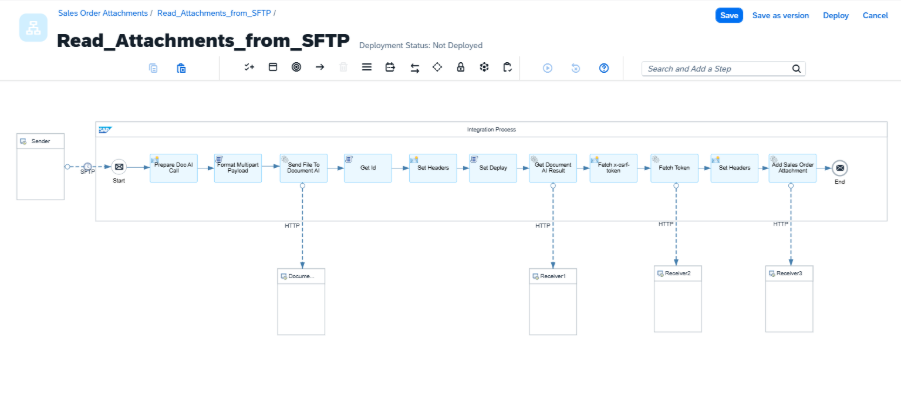
Built entirely on SAP BTP using a clean core approach, it allowed the company to modernize the workflow without heavily customizing SAP S/4HANA itself. The architecture followed a relatively simple but highly scalable flow, which we could summarize in the following five steps:
Step 1: Automated File Collection
Incoming PDF documents were automatically stored inside monitored SFTP folders. This eliminated the dependency on manual downloads, local storage, and fragmented shared drives.
Step 2: SAP Integration Suite Coordination
An SAP Integration Suite iFlow continuously monitored incoming files and orchestrated the end-to-end process. At this stage, the workflow handled file ingestion, process coordination, routing logic, exception handling triggers, and communication between services.
Step 3: SAP Document AI Extraction
SAP Document AI analyzed each document and automatically extracted critical business information. This included sales order number, vendor information, dates, amounts, and business references.
Importantly, the system could process highly variable formats, including semi-structured and unstructured documentation.
Step 4: BTP Validation and Exception Management
Once extracted, the information passed through validation layers built on SAP BTP. The workflow validated matching SAP business objects, data consistency, missing fields, confidence thresholds, and exception scenarios.
When necessary, the system redirected documents for manual review without interrupting the entire workflow.
Step 5: SAP Sales Order Attachment
After validation, documents were automatically linked to the corresponding SAP sales orders inside SAP S/4HANA.
No manual renaming, uploads, searches, or dependency on users knowing SAP navigation paths. The process became fully traceable by design.
The Business Results
The impact was immediate, as the company recovered virtually 100% of the manual workload previously dedicated to document processing.
But, more importantly, they eliminated operational fragility.
Before automation, the workflow represented an estimated current cost of about $54K per month, mostly tied to manual document review, classification, field extraction, validation, renaming, routing, and SAP attachment tasks.
After modeling the same process with SAP Document AI and SAP BTP, the estimated monthly cost dropped to about $29K. That represented roughly $25K in projected monthly savings, or about $304K in annual savings.
Instead of depending on users remembering naming conventions, searching PDFs manually, or attaching files correctly, the workflow itself became responsible for maintaining consistency and traceability.
The project also delivered:
- Automatic five-year traceability compliance.
- Support for multiple document formats.
- Reduced onboarding complexity for new employees.
- Faster document availability inside SAP workflows.
- Lower risk of operational errors.
- Greater scalability across global operations.
From a Specific Use Case to a Multifaceted Workflow for Multiple Industries
Now, the objective of the SAP Document AI workshop was not to replicate one industry use case but to see SAP document AI potential for all the industries involved.
We abstracted the generic workflow behind the PoC to help participants identify how the same architectural principles could apply across different operational environments. Because, depending on the process challenges of each organization, it could:
- Automatically classify incoming files and emails based on document type and business context.
- Extract and validate business data before it enters SAP workflows.
- Matching information against the correct SAP business objects and records.
- Routing validated information directly into SAP S/4HANA without manual intervention.
- Maintaining traceability across the entire process to reduce delays and incorrectly assigned records.
This way, we saw how the same architecture could adapt to completely different bottlenecks across industries while still maintaining governance and security. Because the core logic remained the same in all cases:
- Capture incoming documentation.
- Classify and contextualize it.
- Extract business data.
- Validate against SAP records.
- Route automatically into enterprise workflows.
By the end of the session, participants left not only with hands-on experience using SAP Document AI, but also with ready-to-demo pilots to continue testing and demonstrating internally within their own organizations.
How to Measure Business and Budget Impact of SAP Document AI
Alongside the technical workflows, we also focused heavily on both execution and financial impact.
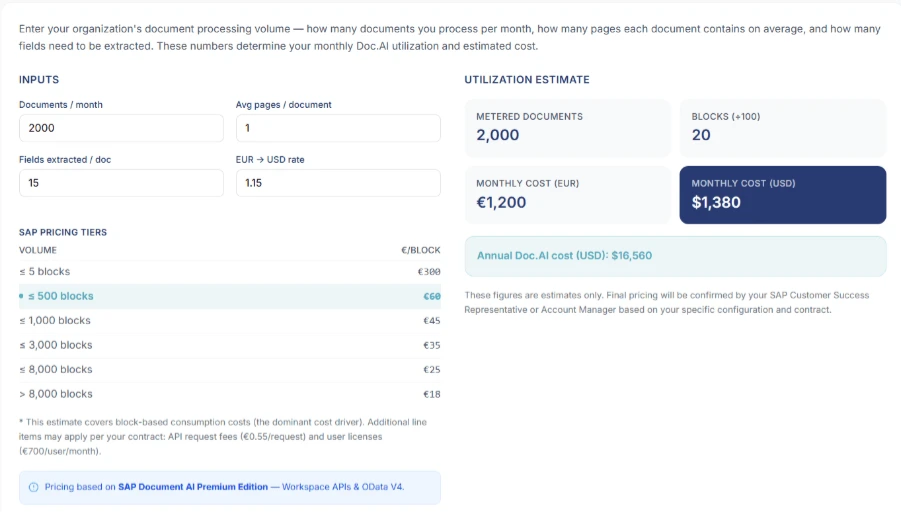
To help participants evaluate business feasibility, our team developed a ROI calculator. This way, we can estimate the potential savings of automating their document workflows with Document AI by looking at three main areas.
First, we estimate the tool usage based on monthly document volume, average pages per document, and the number of fields extracted from each document. This way, we gave participants a clearer view of the expected consumption and monthly costs.
Then, it helps calculate the cost of manual and semi-automated processes. Participants enter the average time spent processing each document, the hourly cost of the people involved, and any additional operational, software, or per-document costs.
Finally, we compared both scenarios to estimate savings, payback period, and projected ROI after accounting for the one-time automation cost. In this particular PoC, the estimated payback period was 5.9 months.
Of course, every organization is different.
But document-heavy workflows often represent one of the clearest and fastest entry points for enterprise AI adoption because the inefficiencies are already measurable before automation even begins.
From AI Exploration to Production Execution
This way, participants left SAP Document AI workshop with practical outcomes they could immediately bring back to their teams, including:
- A functional pilot ready for internal demonstrations and evaluation.
- Hands-on experience configuring SAP Document AI workflows.
- A clearer understanding of ROI based on their own landscapes.
- A participation badge recognizing their ability to start applying SAP Document AI within enterprise workflows.
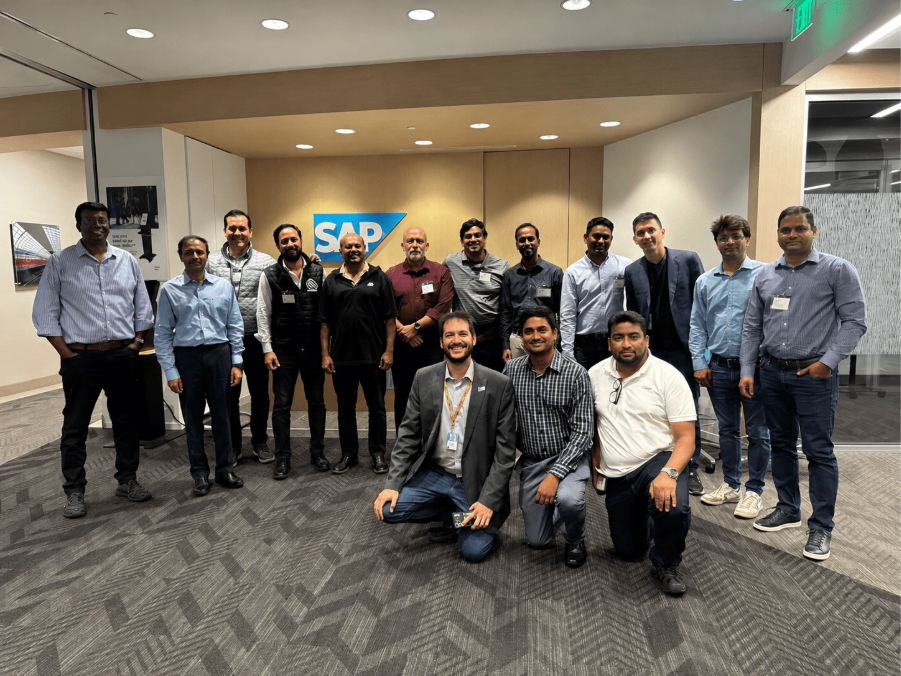
That is where workshops like this create the most value.
Not simply by discussing AI capabilities in theory or at individual working level, but by helping organizations accelerate the path to implementation through production-ready architectures, SAP BTP expertise, and fast-to-deploy PoCs focused on measurable outcomes.
As official SAP partners, that is exactly what we aim to continue doing at Inclusion Cloud. If your organization is evaluating SAP Document AI or broader BTP initiatives, book a discovery call and bring us your challenges.
We would be happy to help you with your PoC.